
AutiSpark: Kids Autism Games
IDZ Digital Private LimitedEducational
4.360.00 Reviews
- Version
- 6.8.0.9
- Installs
- 1.00M
- Age Rating
- Everyone
Screenshots
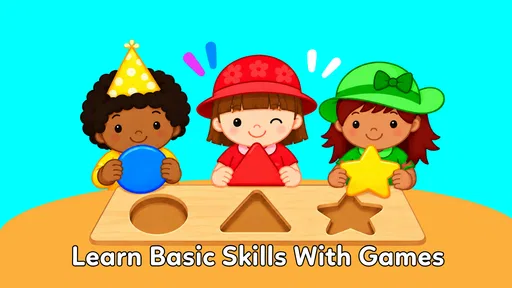
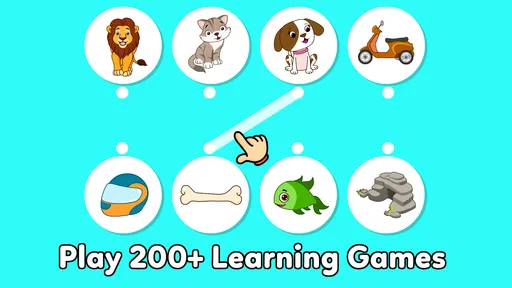

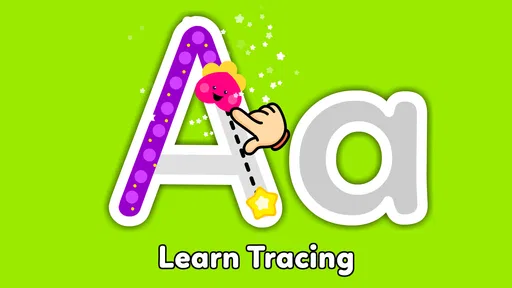
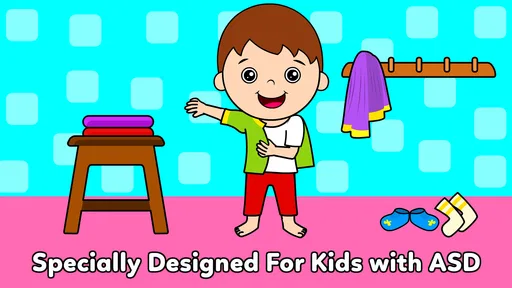
Our Review of AutiSpark: Kids Autism Games
 Analysis by Appyee
At our house, a learning game has to work around real routines: a few minutes before dinner, a quiet stretch while a sibling finishes homework, or a turn with a shared tablet. That is the kind of setting in which I’d consider AutiSpark: Kids Autism Games. It is an educational game for children with autism, and its appeal is the chance to make short activities feel more like play than another demand. I’d treat it as one option in a child’s routine, not a solution that should fit every child or every moment.
A shared tablet needs a simple routine
When several people use one device, I find it helps to decide in advance when the game is available and who is choosing the activity. A caregiver might offer it during a quiet window, then sit nearby at first to see which activities feel comfortable. That small bit of structure can make the experience easier to share without turning the tablet into a reward that has to be earned.
I’d also keep the session tied to a clear everyday purpose: practice taking turns, spend a few calm minutes matching, or offer a familiar activity during a transition. The useful question is not simply whether a child stays engaged, but whether the activity suits the moment. If the child is already tired or overwhelmed, putting a game in front of them may add another demand rather than help.
Set expectations before handing over the device
Before a child starts, I’d check the current app experience with them and make sure the selected activity is a good match for their attention and comfort. A grown-up can help choose a manageable stopping point and explain what happens next, especially if ending screen time is usually difficult. I would avoid assuming that a game’s cheerful presentation makes every activity calming or suitable for every child.
There is also a practical household boundary to consider: a shared device may contain other apps, notifications, or saved activity outside the game. I’d prepare the device in the way that already works for my family before passing it over, rather than expecting the app itself to manage device use. That is a general shared-screen habit, not a special family-control feature of this game.
Coordinate around the child, not just the score
If more than one adult supports a child, a quick conversation can help keep the experience consistent. One person might notice that matching is enjoyable while another sees that a particular prompt leads to frustration. I’d share those observations in plain language and use them to decide what to offer next, rather than treating a score or completed activity as a complete picture of learning.
This is especially useful when the app is used at home and in another setting. A caregiver can describe which activities held the child’s interest and what kind of help was needed, while a teacher or therapist can judge whether that fits current goals. The game can provide a shared activity to discuss, but it should not be mistaken for an assessment or a replacement for professional advice.
Age guidance is a starting point, not a personal fit test
The game is rated Everyone, which makes its general audience guidance broad; it does not tell me whether a particular child will enjoy the pace, visuals, prompts, or style of play. Autism covers a wide range of preferences and support needs, so I’d let the child’s response guide the choice. Staying nearby for an early session is more informative than relying on an age label alone.
I’d also be careful about what “educational” means in practice. A child may enjoy an activity without mastering the skill behind it, and a successful turn in a game does not automatically carry over to daily communication or social situations. I’d look for signs of interest and comfort, then connect the activity to real life only when that feels natural—for example, talking about sorting objects together after a matching activity.
AutiSpark: Kids Autism Games is best approached as a flexible activity to try, not a promise of the same result for every family. For a child who likes visual, interactive tasks and benefits from a caregiver’s gentle involvement, it may offer a useful way to make a short practice moment more inviting. If a child dislikes screen-based activities, finds animations distracting, or needs highly individualized support, I’d choose another approach without pressure.
Hey there, fellow app enthusiasts! Today, I’m diving into an app that’s designed to make a real difference for our little ones with autism. If you haven’t heard of AutiSpark: Kids Autism Games, you’re in for a treat. Let’s explore what makes this app tick and whether it’s worth your time and download space.
What’s the Buzz About AutiSpark?
Okay, so let’s get straight into it. AutiSpark: Kids Autism Games is an educational app aimed at helping children with autism develop essential skills through engaging and interactive games. It's like a virtual playroom tailored specifically for kids on the autism spectrum, providing a safe and supportive environment to learn and grow.
The app covers a wide range of developmental areas, including cognitive skills, language, and social interactions. It’s designed with input from autism experts, ensuring that each game is both fun and educational. The idea is to present learning in a way that feels natural and playful, rather than forced or overwhelming.
Game On: Features You’ll Love
Now, let’s talk about what really matters—the features. When I first opened the app, I was greeted with a colorful interface that’s super easy to navigate. The games are divided into categories, making it simple to find just what your child needs. Here’s a quick rundown of what you can expect:
- Visual Learning: The app uses bright colors and captivating animations to keep kids engaged.
- Customizable Experience: You can adjust the difficulty level and tailor the games to match your child’s abilities.
- Progress Tracking: Keep an eye on your child’s development with handy progress reports.
- Offline Access: Perfect for those moments when Wi-Fi isn’t available, but learning must go on!
Hands-On Experience: Let’s Play!
The real test was watching my little cousin dive into the games. He was instantly drawn to the interactive nature of the activities. From matching games to puzzles, the app offers a variety of options that kept him entertained and learning at the same time. The instructions were clear, and the app’s voice-overs were friendly and encouraging.
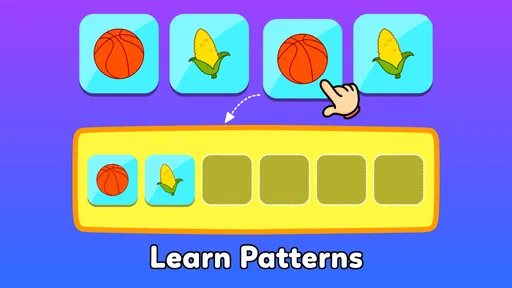
One of his favorites was the matching game, where he got to pair up objects based on their shapes and colors. It was amazing to see how quickly he learned to recognize patterns and improve his problem-solving skills. The app’s reward system, with stars and applause, added that extra boost of motivation.
Why It Stands Out
So, what sets AutiSpark apart from the sea of educational apps out there? For starters, it’s specifically designed for children with autism. This means every game and activity is crafted with their unique needs in mind. The app fosters not only learning but also confidence and independence.
Moreover, the app’s commitment to continuous improvement is commendable. Regular updates ensure that new games and features keep things fresh and exciting. It’s like a gift that keeps on giving!
Wrapping It Up
In conclusion, AutiSpark: Kids Autism Games is more than just an app; it’s a companion for children with autism and their families. While it’s not a substitute for professional guidance, it’s a wonderful tool that complements traditional therapy and learning methods. If you’re looking for a way to engage your child in meaningful play, this app is definitely worth checking out.
So, whether you’re a parent, teacher, or caregiver, give AutiSpark a try. It might just become your new favorite educational app. Happy gaming!
What to expect from the activities
In this kind of learning game, the adult’s role matters as much as the activity itself. I’d begin by letting the child explore a little, then offer a simple prompt only if they seem open to it. That keeps the game from becoming a test. If the child wants to repeat a familiar activity, repetition can be part of the appeal; I wouldn’t rush to switch tasks just to cover more of the app.
A practical approach is to notice one small thing during play: whether the child follows the spoken instruction, responds better to a visual cue, or prefers a quieter moment. Those observations can guide the next session without turning play into a formal lesson. If an activity repeatedly causes distress or confusion, I’d move on rather than assuming more practice is always better.
Choosing it over other learning options
Compared with a general children’s game, the autism-focused design is the main reason I’d give this one a look. Compared with hands-on play, books, or a therapist-led activity, it offers a screen-based format that may be convenient and engaging for some children, but it cannot provide the same personal interaction or adapt in the moment like a trusted adult can. I see it as a supplement, not a substitute for those options.
It may be a particularly reasonable trial for families already comfortable using a tablet for brief, supervised activities. A family that prefers screen-free routines, needs a specific curriculum, or wants a program tailored closely to an individual therapy plan may be better served by another resource. The right choice depends less on the educational label and more on how the child responds.
Cost, compatibility, and what to check
The game is free to download, with in-app purchases listed from $6.99 to $59.99 per item. I’d look over the purchase choices with another adult before a child uses a shared device, so everyone knows what is free to access and what may prompt a purchase. That is especially useful when a child can navigate screens independently or when siblings share the same tablet.
It was released on April 21, 2020, and the current version is 6.8.0.7. Android support starts at version 5.0. IDZ Digital Private Limited develops the game. Those details are useful when checking whether an older household device can run it and when deciding which adult should handle installation and purchase decisions.
The app has a 4.4 average from around 3.4 thousand ratings, alongside 58 written reviews, and it has been installed over a million times. I take that as a sign that many people have tried it, not as proof that it will suit every child. Reviews and popularity can help establish that a game is established, but a short supervised trial is a much better way to judge its fit at home.
A realistic routine, with room to change course
Imagine a caregiver preparing dinner while a child wants a familiar activity nearby. I’d open the game before handing over the tablet, help the child choose one activity, and stay within reach while they play. When it is time to stop, I’d give a clear reminder and move to the next part of the routine. If the child is engaged and comfortable, that can be a useful few minutes; if the transition becomes difficult, I’d reconsider when or how the game is used.
For a shared device, it can also help to keep the app’s role predictable: perhaps it is offered at a particular quiet time rather than whenever the child asks for a screen. That boundary is something the household creates, not a feature I’d assume the game provides. A consistent routine can make expectations clearer for siblings and caregivers alike.
My household verdict
AutiSpark is worth considering for families seeking an autism-oriented set of playful learning activities, especially when a child enjoys visual games and an adult can help shape the session. Its broad educational scope and adjustable difficulty may make it easier to find a starting point than with a general-purpose game, while the free entry point lets families explore before deciding whether paid content is worthwhile.
I would skip it if the child finds animated screens uncomfortable, if shared-device boundaries are difficult to maintain, or if the family needs a carefully individualized teaching tool rather than a general app. The strongest use case is modest: offer an activity, observe the child’s response, and keep it only if it genuinely supports a pleasant, useful moment. That is the standard I’d use before making it part of our household routine.
Verdict
Strengths of AutiSpark: Kids Autism Games
- Engaging activities tailored for autism.
- User-friendly interface for young kids.
- Tracks progress to aid development.
- Customizable settings for individual needs.
- Supports multiple languages for accessibility.
Limitations of AutiSpark: Kids Autism Games
- Limited free content; in-app purchases.
- Requires internet for some features.
- Graphics may be too simple for some users.
- Limited age range; not for older kids.
- Subscription model may deter some parents.
Other Releases by IDZ Digital Private Limited
View All
Kids Coloring Pages & Book
Educational4.3

Ice Cream Shop Games for Kids
Educational4.6

Toddler Games for 2-3 Year Old
Educational3.6

KidloLand Kids & Toddler Games
Educational4.6
Similar Picks in This Category
View All
Little Panda Policeman
BabyBus4.0

Monster Trucks Game for Kids 2
Raz Games4.1

Little Panda's Chinese Recipes
BabyBus4.4

Little Panda's Restaurant
BabyBus4.4

Little Panda's Ice Cream Games
BabyBus4.3

Baby Panda Care
BabyBus3.8
Frequently Asked Questions
What age group is AutiSpark: Kids Autism Games suitable for?
AutiSpark is designed for children with autism aged 2 to 8 years old. The app offers a range of interactive games and activities that cater to early developmental needs, focusing on skills like cognitive development, sensory enhancement, and social engagement. Parents can tailor the experience to best suit their child's individual learning pace and preferences.
How does AutiSpark support children with autism?
AutiSpark provides a variety of games and activities specifically designed to address the unique learning needs of children with autism. The app focuses on improving communication, cognitive skills, and social interaction through engaging and visually appealing content. Each activity is developed by experts to ensure it meets educational and therapeutic goals effectively.
Is there a subscription fee for AutiSpark, and what does it include?
AutiSpark offers a subscription model that provides full access to all games and activities. The subscription includes regular updates and new content to keep the learning experience fresh and engaging. Users can choose between monthly or annual plans, with a free trial period available to explore the app's features before committing.
Can AutiSpark be customized to suit individual needs?
Yes, AutiSpark allows customization to match a child's unique learning requirements. Parents can select specific games and adjust difficulty levels to align with their child's developmental stage. This flexibility ensures that every child can benefit from the app's educational content, regardless of their specific abilities or challenges.
Is AutiSpark available on both Android and iOS platforms?
AutiSpark is available for download on both Android and iOS devices, making it accessible to a wide range of users. The app can be found in the Google Play Store and the Apple App Store. It is designed to work seamlessly across different devices, ensuring a smooth user experience for parents and children alike.
Play our best games!


